


 Imagine this scenario: you’re chilling at a bar, and you enter your passcode on your iPhone. You use an app, then lock it and set it on the bar. Then you’re distracted for a moment and when you look back at the bar top, your phone is gone.
And now a thief has your phone, and worse, he shoulder-surfed your passcode (or a confederate did). While you frantically look around for your phone, he’s taking over your life.
This is a nightmare scenario, because the thief can likely run roughshod over your digital world. Access to your cloud storage is only a password reset away and the thief has access to your email, your authenticators, and your password vault. Your banking apps, shopping accounts, social media, etc. are all wide open.
The four or six digits that unlock your phone is a huge vulnerability. You may have a 32-character password with all kinds of special characters on your email, but you don’t enter it when you tap the mail icon on your phone.
Even worse, using FaceID or Fingerprint Unlock is not enough, because there’s still that passcode. If I steal your phone, I don’t have your face, but if I know your passcode, I don’t needit.
Add the Second Layer
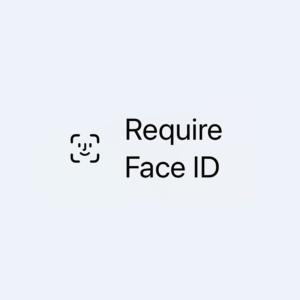
On iPhone, you can hard-press on any application icon and select Require FaceID.
This means that even if your phone is unlocked, it’ll require FaceID (and only FaceID, not a passcode) to launch that app. You can enable it for any app you wish.
This adds a second layer of protection. Now if I’ve seen your passcode and stolen your phone, there’s a hard limit on what I can do because I can’t open any of your critical apps.
Which apps should you add biometric protections to? These are good candidates:
- Banking apps
- Authenticators
- Password vaults
- Any browser you regularly use
- Your email
- Social media apps
- Cloud storage apps
- Shopping apps
Android does not have an universal “require face unlock” option. On Samsung, you can go to Settings -> Security and Privacy -> Secure Folder and put apps inside, which requires a fingerprint or face to unlock. Pixel has Private Spaces that are similar.
Related Posts:
The YouTube App is an Authenticator...and That's a Problem
Richard Stallman (rms) is Wrong When He Claims Every Cellphone has a Back Door
India Throws Its Weight Around and Makes Increasingly Crazy Demands of Big Tech
We Need To Stop Supporting THIS As Consumers… (My One Apple Complaint)
HOT TAKE: DOJ's Antitrust Lawsuit Against Apple is Dead on Arrival
Ten Things to Do With Your Own Smartphone Besides Throwing it Away

raindog308 is a longtime community LETizen, technical writer, and self-described techno polymath. With deep roots in the *nix world, he has a passion for systems both modern and vintage, ranging from Unix, Perl, Python, and Golang to shell scripting and mainframe-era operating systems like MVS. He’s equally comfortable with relational database systems, having spent years working with Oracle, PostgreSQL, and MySQL.
As an avid user of LowEndBox providers, raindog308 runs an empire of LEBs, from tiny boxes for VPNs, to mid-sized instances for application hosting, and heavyweight servers for data storage and complex databases. He brings both technical rigor and real-world experience to every piece he writes.
Beyond the command line, raindog308 has a life-long love of German Shepherd Dogs, high-quality knives, target shooting, theology, tabletop RPGs, playing guitar, and hiking in deep, quiet forests.
His goal with every article is to help users, from beginners to seasoned sysadmins, get more value, performance, and enjoyment out of their infrastructure.
You can find him daily in the forums at LowEndTalk under the handle @raindog308.
























Unless something fairly recently changed, LEOs can force you to use your fingerprint/face to unlock your phone and not have it violate the 5th amendment. I do recall it was still being battled in the court but I don’t think it has been ruled as protected yet. While I would have nothing to hide from LEOs, I’d rather make it harder for them and take my chances with a passphrase.
Perhaps you can do both – require a passphrase / pin to unlock your phone (i.e., disallow biometric for phone unlock), yet also require biometrics to launch specific apps.
That way, someone truly has to know something (pin) and “have” something (your face) to get to an app.
I haven’t personally tried this. As you observe, it’s really two different problems to solve.