

QR codes are incredibly useful, but nobody has ever accused them of being attractive.
Normally, if someone wants to make one look a little less like digital graph paper, they slap a logo in the middle, round off some corners, change the colors, and hope the phone can still read it.
But there’s a Dithered QR Code Generator that turns an actual photograph into the QR code itself, producing something that looks surprisingly close to old-school black-and-white computer graphics while still containing scannable data. The project has recently been making the rounds online, including a feature from Adafruit on August 24.
And no, this is not just an image pasted behind a semi-transparent QR code. There’s some clever image-processing work going on here.
QR Codes Have More Wiggle Room Than You Might Think
A QR code is a grid of black and white modules, but not every part of that grid serves the same purpose.
The large squares and other fixed patterns help your phone locate, orient, and understand the code. Those need to remain obvious. The remaining modules contain the encoded data and associated information. Once the scanner knows where the grid is, however, it mainly cares about sampling the appropriate points inside that grid. That opens up an interesting possibility: make the actual data portion of each module relatively small, then use the surrounding pixels for something else.
If you’ve ever used an ancient Macintosh, printed something on a monochrome laser printer, or played a game on a 1-bit display, you’ve seen dithering. Suppose you only have black and white pixels but want to display gray. You can’t actually make a pixel gray, so you arrange black and white pixels in patterns that your eye interprets as different shades.
The Clever Part
Remember those center pixels that absolutely have to contain QR data? They don’t care what your photograph looks like. Your picture might say a particular pixel should be almost completely black, while the QR code says, “Nope, this one has to be white.”
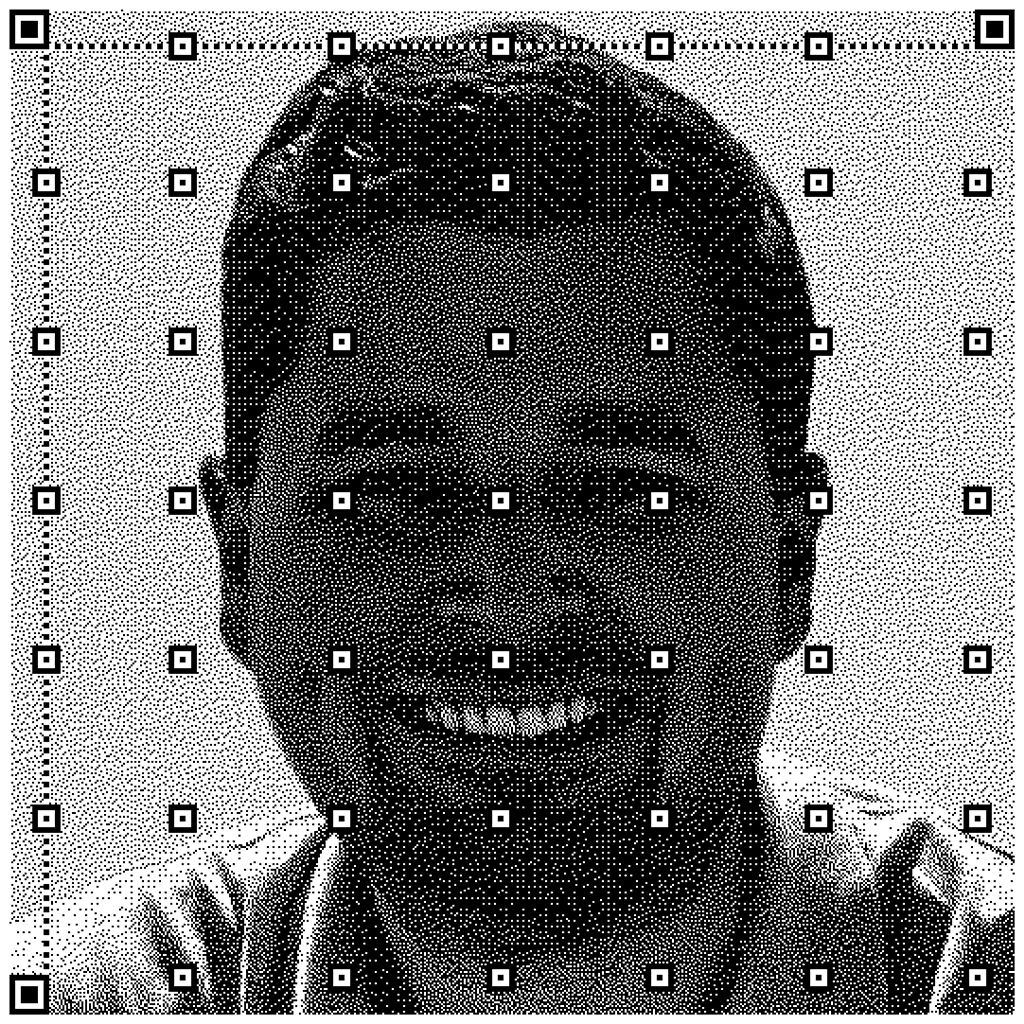
That creates what looks like random salt-and-pepper noise throughout the image. This generator deals with this using two rounds of error diffusion. During the first pass, the program places the QR data pixels where they have to go. Any resulting brightness error is distributed into surrounding pixels. Then a second, more conventional error-diffusion pass converts the rest of the picture into black and white. The result is dramatically cleaner because the image effectively compensates for the pixels that the QR code forced it to get “wrong.” It’s a neat example of two completely different technologies cooperating: error correction keeps the QR code readable, while error diffusion keeps the picture recognizable.
Here are some examples. First, our own Jon Biloh, tagged with lowendbox.com:
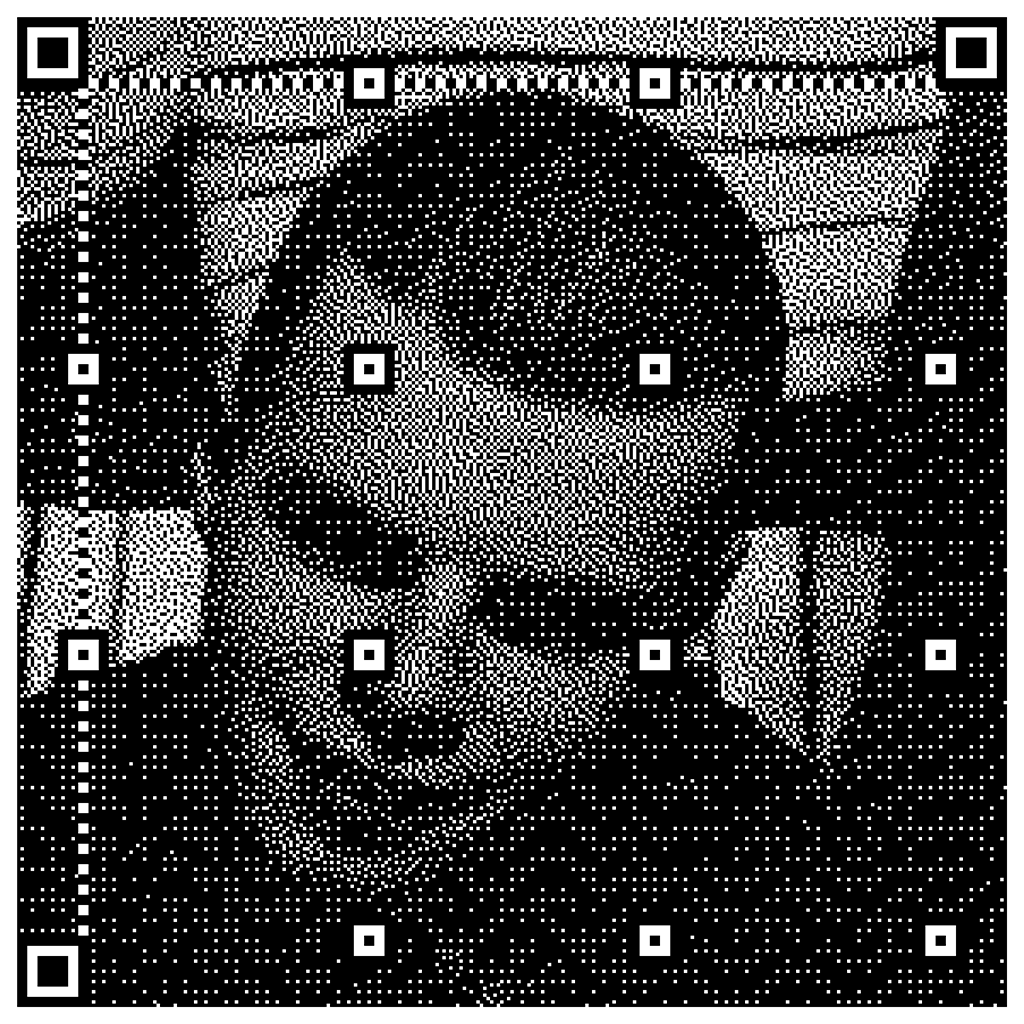
Or here’s LowEndTalk’s infamous Calin, using a lower-resolution setting:
Try It Yourself! But Don’t Print 50,000 Flyers Yet
Here’s the generator: https://www.andrewt.net/dithered-qr-codes/index.html
But there’s a catch to all of this, or at least a small warning.
Normal QR codes are deliberately ugly and redundant because they’re supposed to work under lousy conditions. Crumpled paper, bad printers, poor lighting, scratched signs, shaky cameras, and awkward viewing angles are all things the format was designed to survive. Every bit of that redundancy you sacrifice for aesthetics reduces your margin for error.
These artistic QR codes can work well on large displays and posters, but something that scans perfectly from your laptop screen might fail once it’s been printed, folded, dimly lit, and pointed at an older phone camera. The generator also produces images without the usual surrounding quiet-zone margin, which you’ll want to add when deploying one for real.
Still, as hacks go, this one is excellent.

raindog308 is a longtime community LETizen, technical writer, and self-described techno polymath. With deep roots in the *nix world, he has a passion for systems both modern and vintage, ranging from Unix, Perl, Python, and Golang to shell scripting and mainframe-era operating systems like MVS. He’s equally comfortable with relational database systems, having spent years working with Oracle, PostgreSQL, and MySQL.
As an avid user of LowEndBox providers, raindog308 runs an empire of LEBs, from tiny boxes for VPNs, to mid-sized instances for application hosting, and heavyweight servers for data storage and complex databases. He brings both technical rigor and real-world experience to every piece he writes.
Beyond the command line, raindog308 has a life-long love of German Shepherd Dogs, high-quality knives, target shooting, theology, tabletop RPGs, playing guitar, and hiking in deep, quiet forests.
His goal with every article is to help users, from beginners to seasoned sysadmins, get more value, performance, and enjoyment out of their infrastructure.
You can find him daily in the forums at LowEndTalk under the handle @raindog308.

















Leave a Reply