


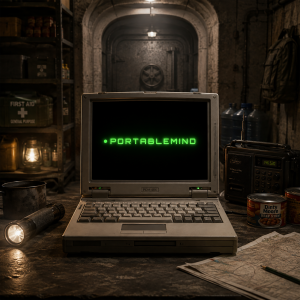
A while back we published an article about Prepper Disk, which is a small portable router that is stuffed with survival-oriented PDFs. The idea is that in a crisis, you can plug it in and have access to a wealth of survival-related literature.
As we said in the article, it isn’t the sort of thing that you throw in your backpack, and then presto, you’re set as far as survival. Don’t fall into the “click here to survive” mindset. It’s not the first thing that would go in a survival kit. But maybe it’s the 50th or 100th. It’s always good to have more information, and this is an alternative to having shelves and shelves of paper books, which might not be practical. Of course, you should have important survival information in your head from studying long before you need it, but no one can remember everything.
I think the scenario for the Prepper Disk kind of information is not so much “end of the world as we know it” but rather a remote homestead where you might face isolation or wildfires, or an urban environment where you might face other natural disasters. For example, here in Portland, Oregon, if there’s an earthquake, the bridges and overpasses will collapse and the city will be come a set of isolated sectors. Help will eventually come, but residents might need to ride out several weeks of isolation.
In such a scenario, preparation is essential but it’s difficult to anticipate every question that might arise.
In our article, we did point out some issues with the Prepper Disk, chief among them copyright. The best survival books in my library are copyrighted. Prepper Disk has a lot of good stuff on it, but it’s mostly either government publications or material which is out of copyright, which can be very old. Also, while there is a table of contents, it’s mostly up to you to flip through dozens or hundreds of books to find the info you need. And finally, it’s not interactive. If you find a book which answers your question, great, but if you have a different question, you’re out of luck.
You have to think that perhaps a better solution is to hunt down your own PDFs or Kindle books and put them on a tablet rather than relying on a router your devices connect to. Not that I would ever download survival book PDFs from Anna’s Archive but I imagine some people do.
Today, we’re looking at a different approach to having survival information at your fingertips, which solves all of these problems.
PortableMind
Recently we were contacted by a company called PortableMind, who asked us to review their product. They sell a self-contained USB-based AI . You plug it into your Windows or Mac computer, the AI starts, and you can ask it whatever you like. So it’s like ChatGPT or Claude, only you own it, there’s no monthly fee, it doesn’t require Internet connectivity, and it’s completely self-contained. (PortableMind sent us the unit for free, but everything in this arcile is my own opinion based on my own use and none of it was dictated or directed by PortableMind.)
There are a lot of advantages to the PortableMind product over static documentation archives:
- It’s interactive, so you can chat with the AI to work through problems, refine solutions, and ask questions.
- Because it’s an LLM built on training from millions of sources, it can include information that is very up-to-date and recent, so you don’t have the copyright issue.
- Because it’s AI, it can interact with your laptop or computer’s sensors, so you can ask it to do things like identify plants based on what your webcam or phone sees.
The AI in PortableMind is entirely self-contained on the USB stick:
- It’s completely private and your conversations never leave your computer.
- Your queries and information are not going to be used to train some big tech model.
- This also means it doesn’t rely on the Internet. So if the lights go out, as long as you can power your laptop, you can use PortableMind.
Now, keep in mind, it’s obviously not ChatGPT or Claude. The leading frontier models run in massive datacenters, so it would be absurd to expect the same performance from a USB stick as far as pure reasoning performance. But I found that it got every question I asked it correct and identified every plant I asked it to look at.
Second, as with the static documentation archives, this isn’t the first thing that should go in your survival kit. Water, food, shelter, medicine, protection, repair, etc. are all priorities. But this is a very nice add-on that gives you ready access to a ton of information, presented in an interactive format. It’s such a small device physically that it’s hard to argue against including it in survival planning.
Finally, the PortableMind people take privacy very seriously, and I want to mention that this product is not just for survival. If you want AI technology that leaves no digital fingerprints online and where your chats are not telemetry to big tech, this is a great solution because the moment you yank the USB stick out of your computer, your session is history and there are no residual traces. Think of this as the self-hosted AI equivalent to something like the Tails Linux distro.
I’m a big user of AI for both professional and personal uses, and there is always a voice in the back of my head telling me that every word I send is recorded in these vast AI datacenters for whatever big tech wants to do with them. If I’m asking AI to help me write a Python script, I probably don’t care, but if I’m asking it personal medical or financial questions, I certainly do. Self-hosted AI is a really important topic these days and PortableMind takes that conversation to the next level with a completely self-contained system.
PortableMind comes with multiple AI models. The bigger ones are better performing, and likewise more resource-demanding. I’m going to be using a MacBook Pro M4 for this demo. I also tried an 2022-era i7 Windows business-class laptop. It was much slower but everything still worked.
How It Works
After inserting the USB stick, I double-clicked on PortableMind.app and the interface came up:

I did try copying all files to a directory on my Mac, just to see if I could run it non-USB. The software says “Copy/clone protection triggered” and that it is “bound to different storage”. The documentation says:
This unit only runs from its original USB drive. This message means the files were copied to another drive, the volume was renamed, or the drive was cloned. Run PortableMind from the original drive, with its original volume name. This is by design (anti-clone) and cannot be bypassed.
Fair enough. This doesn’t bother me, though I’m such a backup freak I wish I could clone it just in case the USB breaks or gets lost. If it’s actually ask the USB serial number that’s hard-coded by the manufacturer (I assume) than that’s not possible.
It takes a few minutes for the AI to warm up and start. Once you’re at the main interface, you’re ready to start asking questions:
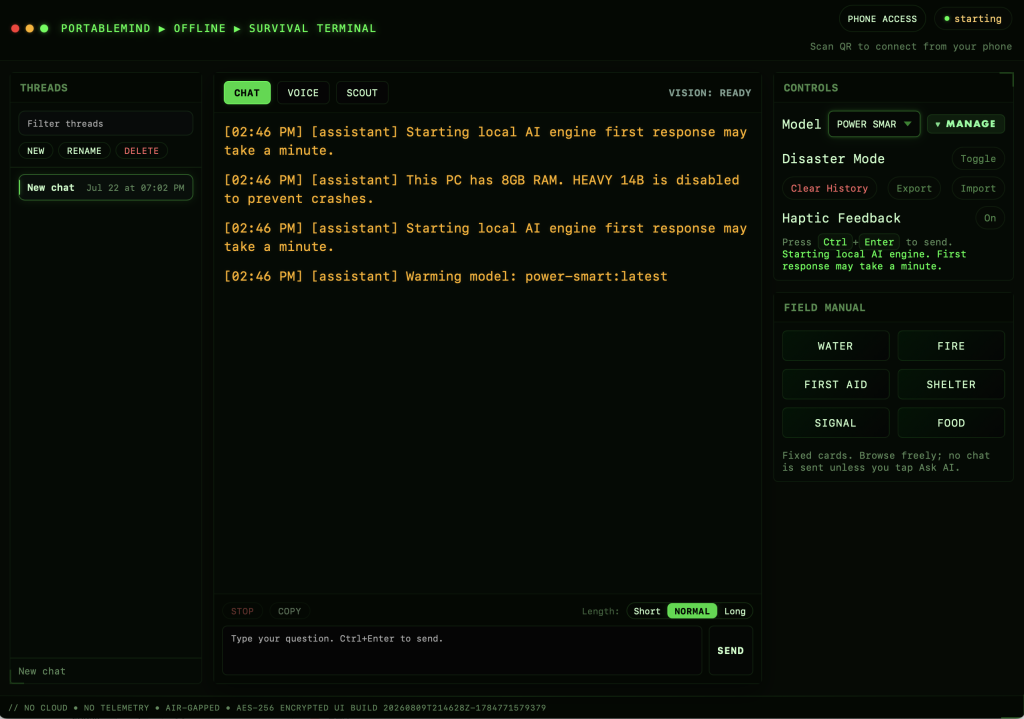
Let’s ask it a good question:
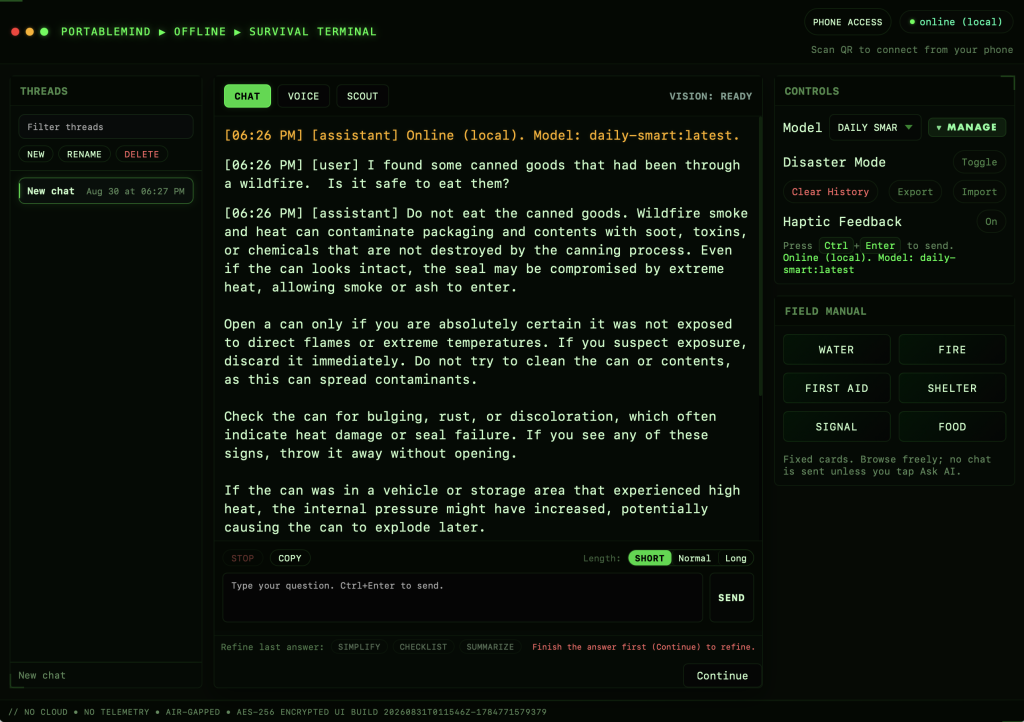
Solid answer. I tried a variety of questions:
- Is it safe for my dog to eat wild blackberries? (correct: it is)
- Is it safe for my dog to eat grapes? (correct: it’s not)
- Can I use a charcoal grill inside a house during a power outage? (correct: definitely not – carbon monoxide)
- Should I cut open a snakebite and suck out the venom? (correct: no – can introduce bacteria and cause tissue damage. I asked several clarifying questions about using sanitary suction, etc. and it maintained the right answer)
- Is alcohol useful for warming someone with hypothermia? (correct: no)
PortableMind was accurate on everything I asked it.
You can talk to PortableMind if you prefer. I played with it, and the voice recognition and speaking was fine.
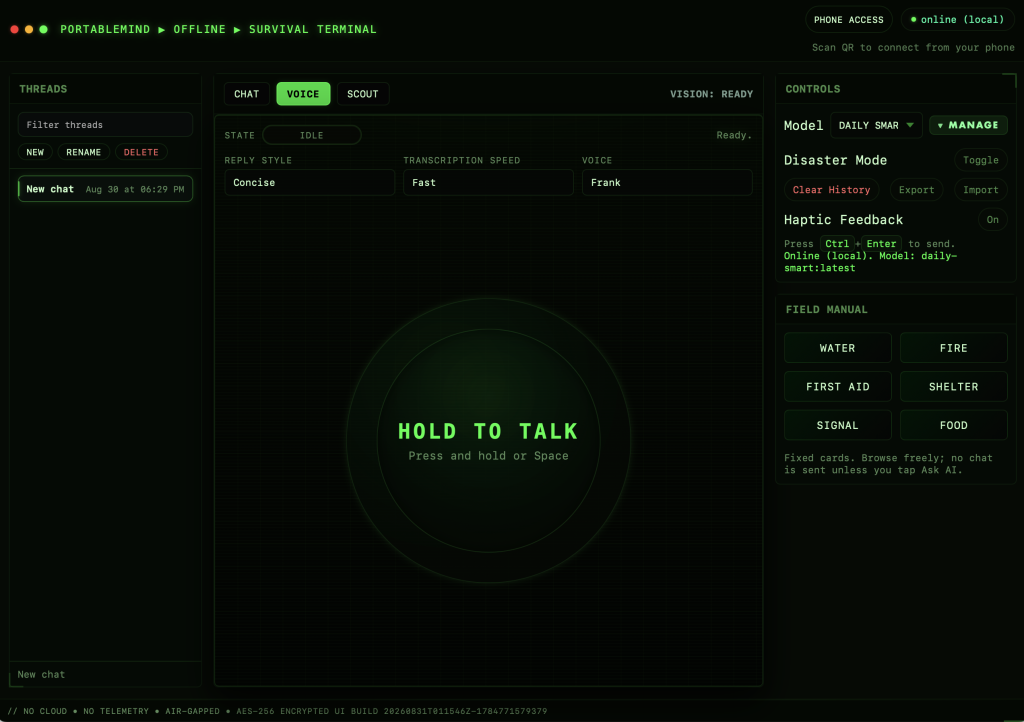
There’s also Scout, which allows you to feed it images and work with them:
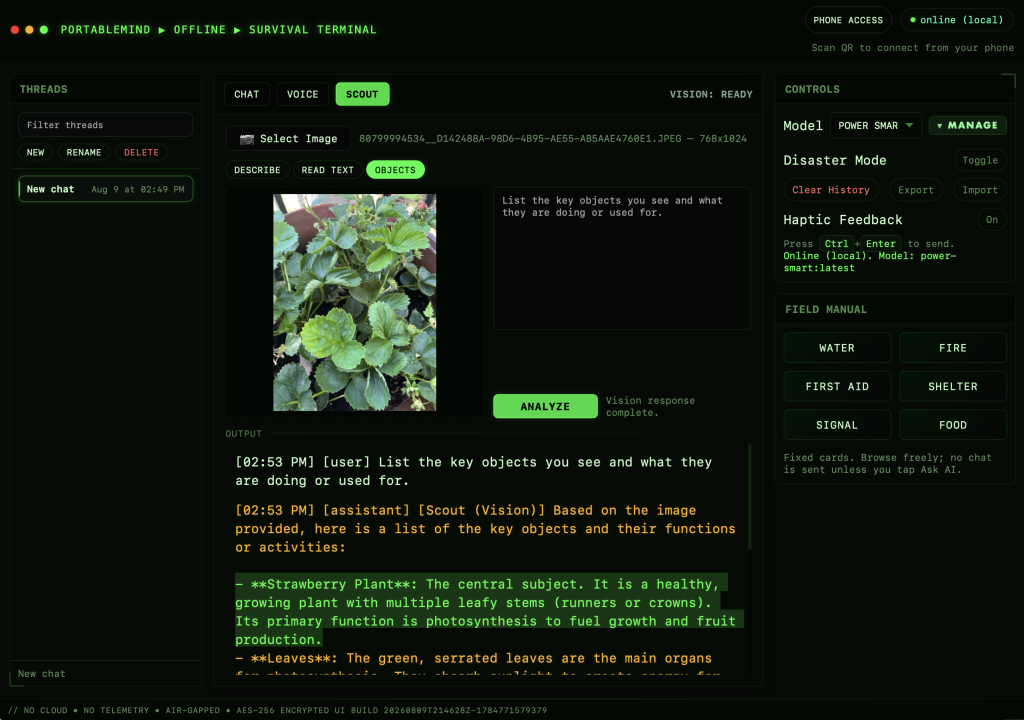
I thought that Scout was really interesting. I tried six different plant images:

Clockwise, that’s strawberries, blueberries, cilantro, Rowan berries (mountain ash), “stink berries” (blue currant), and rosemary.
And PortableMind scored 100%!
Conclusion
Overall, I was impressed with the PortableMind device. It answered all questions correctly and the ability to let it “see” things was really cool. I found the session was pretty performant. I don’t mind if there’s a small delay or if it teletypes the response a bit. Obviously, if you’ve got a fast Nvidia video card in your computer, the models are going to fly, whereas if they have to run purely on CPU, it’ll be a lot slower. But for completely self-contained AI that is private to you and doesn’t require Internet, this is a more than acceptable tradeoff.
The most basic PortableMind unit is $69, but the more typical system is $99, which is what I tested (see the tiers here). They also offer systems based on faster underlying USB hardware, and models that include a GPS capability.
Now, some of you are already thinking, well, this is all open-weight models, I could just build it myself. And you absolutely could. But I think you’re under-valuing your time. Putting all of this together in a nice, easy-to-use, just works package is not a trivial undertaking. Even if you make minimum wage, I think you’d have a hard time assembling it all in a few hours, and beyond that, it’s cheaper to buy PortableMind, which has everything you need already made. Plus the PortableMind system includes free lifetime updates.
I do want to mention that at the moment the product only supports Windows and Mac, but Linux is in the pipeline. It’s worth reading up on the PortableMind web site to understand the differences between the offerings as not all features are available on all platforms.
I think it is a pretty cool product, and one I plan to continue to use. I hope I’m never in a survival situation where I need to rely on it because…who wants to be in a survival situation, right? But having my own private AI to use in such a scenario is awesome. I’m going to be on a road trip later this year that will take me way off-grid into the wilds of Utah and you can bet that this helpful little USB stick will be in my backpack.
If you’ve tried this product or have any thoughts on it, we’d love to hear your views in the comment section below!
Related Posts:
My Books Were Used to Train AI. How Should I Feel About That?
Alabama Attorney General Steve Marshall is Bashing the AI Industry to Help His Senate Bid
Stick to Code, Toaster: Has AI Gotten Any Better at Humor? Let's Rerun Our "Tell Me a Joke" Test
How to Get Sued Into Oblivion: Guardian Angel AI
The Famous Pick-Up Artist Who Picked Up...a Bot?
The Economics of AI and Why Cost-Conscious Companies Hate It

raindog308 is a longtime community LETizen, technical writer, and self-described techno polymath. With deep roots in the *nix world, he has a passion for systems both modern and vintage, ranging from Unix, Perl, Python, and Golang to shell scripting and mainframe-era operating systems like MVS. He’s equally comfortable with relational database systems, having spent years working with Oracle, PostgreSQL, and MySQL.
As an avid user of LowEndBox providers, raindog308 runs an empire of LEBs, from tiny boxes for VPNs, to mid-sized instances for application hosting, and heavyweight servers for data storage and complex databases. He brings both technical rigor and real-world experience to every piece he writes.
Beyond the command line, raindog308 has a life-long love of German Shepherd Dogs, high-quality knives, target shooting, theology, tabletop RPGs, playing guitar, and hiking in deep, quiet forests.
His goal with every article is to help users, from beginners to seasoned sysadmins, get more value, performance, and enjoyment out of their infrastructure.
You can find him daily in the forums at LowEndTalk under the handle @raindog308.



















Excellent article. The idea of an LLM for survival info is so appealing but in practice huge cloud-based LLMs like Claude make dangerous mistakes – so imagine how bad local ones are.
This is unfortunately the wrong use case for an LLm. Of you try asking the AI how to find north in the woods, how to sterilize water, and how to identify poisonous snakes or mailrooms you’ll see quickly it’s often partially right and partially wrong. That’s not a good enough error rate for lifesaving info.
A good example ; https://quesma.com/blog/mushroom-llm-vision/
This looks very interesting. However, it is sad, that Linux is not supported, as Linux is the OS for Lowendbox devices.
Local LLMs are so tempting but also so dangerous. You can’t rely on a model using 7 or even 10B parameters for lifesaving info.
Recommend you run the experiment with a more vigorous set of questions, ask a big cloud based LLM to suggest some that would trip up a smaller one. It’ll fail.