


 When I started using Unix back before some LEB readers were born, configuring swap was crucial.
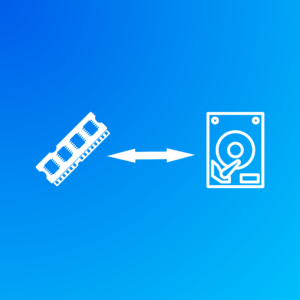
For those who might not know, swap is the use of a disk drive for RAM substitution. If you have a VPS with 1024MB of RAM and you have no swap, when you try allocate the 1025th MB of RAM, it’s going to fail. If you have some swap space, then the kernel will look for some RAM that isn’t in use. You may have some background processes (or even running processes) that have allocated RAM but aren’t using it at the moment or haven’t touched it in a while. The kernel will take those RAM pages and write their contents to disk, freeing the RAM. Then later if the process needs to access those pages, they’re read from disk and brought back into RAM.
I’m simplifying slightly, because there are actually a couple different flavors. “Paging” is the modern method of moving individual pages of RAM to disk, while “swapping” is an older technology that moved entire processes. But it’s the same idea.
All of this happens transparently, nut not without cost. Disk is at least an order of magnitude slower than RAM, so using swap is much slower than RAM. Additionally, it can introduce janky latencies in applications because at random times a memory fetch has to go to slower disk.
Swap was Dead
Back when a big server had 256MB of RAM, swap was crucial. Configuring it, sizing it, and monitoring it was part of sysadmin life. We all had monitors that alerted when swapping was happening.
But once RAM got into the multi-gigabyte range, swap became a lot less important. When a server is small, the core parts of the OS – kernel, background processes, etc. – take up a large part of the overall RAM. Let’s say they take 125MB. That’s half of RAM if your server has 256MB. But when your server has 8GB of RAM, it’s less than 2%.
In recent years, a lot of people just haven’t bothered. I’ve provisioned VMs that don’t have minimal swap and it rarely seems to be used.
But that was before the RAM price apocalypse.
Swap is Back
Now that memory prices are spiking, VPS plans may increasingly ship with stingier RAM, or the price of the plans may go up. This means we all may need to learn to live with swap again.
The good news is that instead of putting swap on old spinning hard drives, you’re putting it on NVMe, which is much faster. But it’s still not nearly as fast as RAM.
And the swapping technology itself is better. Modern Linux kernels use zswap, which compresses pages before writing them to disk. Sure, you need to uncompress them to use them, but most systems have extra CPU power to burn.
Long story short…you probably are going to need to shake the dust off your swap management skills.
Swap File vs Swap Partition
Historically Linux used swap partitions, but today swap files are usually better. Swap partitions have slightly less overhead and are always available early during boot, but they’re harder to resize, require the forethought to partition your disk for them, and you really shouldn’t need them at any point in the boot process.
Swapfiles are just a file, like /swapfile. They’re easy to create or resize and don’t require pre-planning with partitions.
How to Create Swap (Step-by-Step)
Here is a typical example creating a 2 GB swap file. All these commands assume you’re root.
First, create the file:
fallocate -l 2G /swapfile
Or:
dd if=/dev/zero of=/swapfile bs=1M count=2048
and then:
chmod 600 /swapfile
Next, format it as swap:
mkswap /swapfileFinally, enable it:
swapon /swapfile
You can use free(1) to check
# free -h
               total        used        free      shared  buff/cache   available
Mem:           3.8Gi       559Mi       3.2Gi       111Mi       512Mi       3.3Gi
Swap:          1.0Gi       706Mi       315Mi
Be sure to add an entry in /etc/fstabto enable at boot:
/swapfile none swap sw 0 0
Swappiness
In Linux, the swappiness parameter controls how aggressively the kernel moves pages from RAM to swap. Values range from 0 to 100.
| Value | Behavior |
|---|---|
| 0-10 | Avoid swap unless absolutely necessary |
| 10-30 | Good for most servers |
| 60 | Default kernel setting |
| 80+ | Aggressive swapping |
Most servers benefit from lowering swappiness.
You can check the current value by examining /proc:
cat /proc/sys/vm/swappiness
Default is usually 60.
To change it, use sysctl:
sysctl vm.swappiness=10
And to make this change permanent, edit /etc/sysctl.conf:
vm.swappiness = 10
And then apply it:
sysctl -p
Recommended Swap Sizes
This is really a black art and it all depends on what you’re doing. Here’s some good starting points:
| RAM | Swap |
|---|---|
| 1 GB | 1–2 GB |
| 2 GB | 2–4 GB |
| 4 GB | 2–4 GB |
| 8+ GB | 1–2 GB safety swap |
Not sure? 2GB.
Related Posts:
That Was a Fun Read! Pondering Cosmological UUIDs
2026: The Breakthrough Year for Rust
Looking Back at 2025: What a Wild Year! Our Recap of the Year's Biggest Moments
Ten Cool Linux Command Line Tricks for the Journeyman Practitioner
How to Stretch a 10GB VPS Disk: Compressed Folders, tmpfs, and Space-Saving Magic
What Happens When You Run a VPS with Zero Swap?

Raindog308 is a longtime LowEndTalk community administrator, technical writer, and self-described techno polymath. With deep roots in the *nix world, he has a passion for systems both modern and vintage, ranging from Unix, Perl, Python, and Golang to shell scripting and mainframe-era operating systems like MVS. He’s equally comfortable with relational database systems, having spent years working with Oracle, PostgreSQL, and MySQL.
As an avid user of LowEndBox providers, Raindog runs an empire of LEBs, from tiny boxes for VPNs, to mid-sized instances for application hosting, and heavyweight servers for data storage and complex databases. He brings both technical rigor and real-world experience to every piece he writes.
Beyond the command line, Raindog is a lover of German Shepherds, high-quality knives, target shooting, theology, tabletop RPGs, and hiking in deep, quiet forests.
His goal with every article is to help users, from beginners to seasoned sysadmins, get more value, performance, and enjoyment out of their infrastructure.
You can find him daily in the forums at LowEndTalk under the handle @raindog308.




















Leave a Reply