


 If you want to connect to your home or serve something from home, you probably run into the fact that your home IP can change at any time. Mine is static for months and months, but can change at a moment’s notice.
There are various dynamic DNS services where you have a client running on your router or PC, but that’s not the DIY way. Let’s use the Porkbun API instead,.
To do this, you need:
- A domain hosted at Porkbun
- DNS service hosted at Porkbun
The Porkbun API
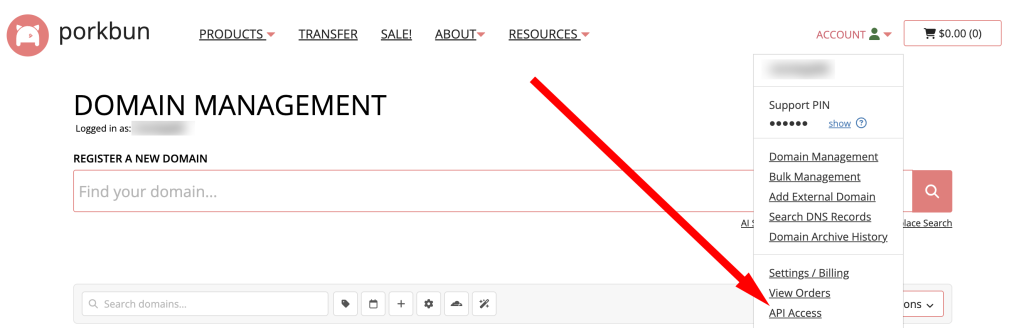
Login to Porkbun and from your account dropdown in the upper right, select API Access.
Under API Keys, enter a name for your API key and click Create API Key.
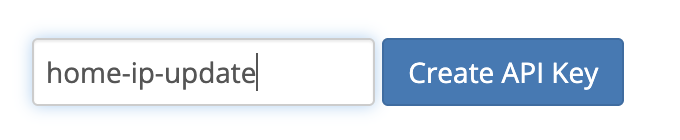
Note the API Key and Secret Key. Copy/paste them into a text editor – we’re going to come back to them in just a sec.
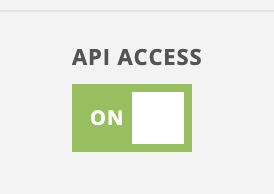
Two more things. First, you need to make sure that API access is turned on for the domain you want to use.
Go back to the dropdown menu and click Domain Management. Then for the domain you want to use, click Details on the right. Scroll down and make sure API Access is turned on:
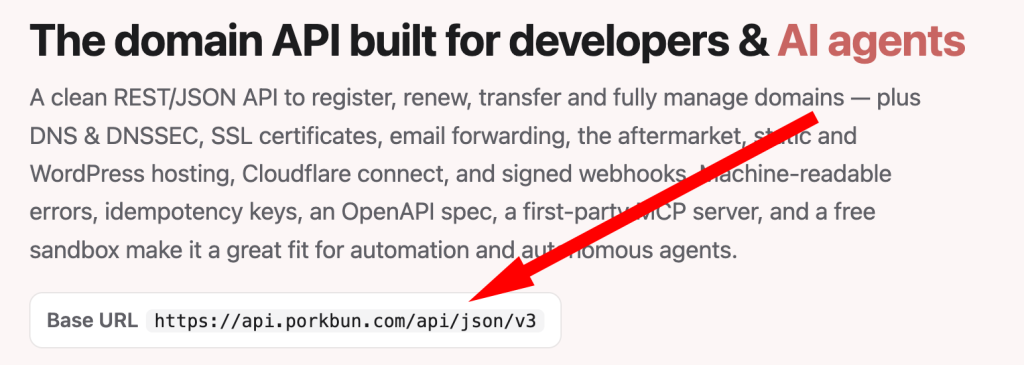
Finally, go to the Porkbun API documentation and note the Base URL:
You’re all set.
My Script
Here’s an easy to use Python script you can use to update your IP. It doesn’t use anything except what’s in the Python standard library. Let me share it with you and then we’ll talk about a couple points.
#!/usr/bin/env python3

import os
import json
import urllib.request
import urllib.error
import ssl
import sys

PORKBUN_API = "https://api.porkbun.com/api/json/v3"
DOMAIN = "example.com"
SUBDOMAIN = "home" # so home.example.com will be updated
RECORD_TYPE = "A"
TTL = "300"

APIKEY="pk1_<the rest of your key>"
SECRET="sk1_<the rest of your key>"

def get_public_ip() -> str:
    # Simple external check. You can swap this to your preferred service.
    with urllib.request.urlopen("https://api.ipify.org", timeout=10) as r:
        return r.read().decode().strip()

def porkbun_edit(ip: str) -> None:
    url = f"{PORKBUN_API}/dns/editByNameType/{DOMAIN}/{RECORD_TYPE}/{SUBDOMAIN}"
    payload = json.dumps({
        "apikey": APIKEY,
        "secretapikey": SECRET,
        "content": ip,
        "ttl": TTL
    }).encode()

    req = urllib.request.Request(url, data=payload, headers={"Content-Type": "application/json"})
    ctx = ssl.create_default_context()

    with urllib.request.urlopen(req, context=ctx, timeout=15) as r:
        resp = json.loads(r.read().decode())

    if resp.get("status") != "SUCCESS":
        raise RuntimeError(resp)

def main():
    ip = get_public_ip()
    porkbun_edit(ip)
    print(f"Updated {SUBDOMAIN}.{DOMAIN} -> {ip}")

if __name__ == "__main__":
    try:
        main()
    except Exception as e:
        print(f"ERROR: {e}", file=sys.stderr)
        sys.exit(1)
Let’s try it:
$ ./update_porkbun_home_ip.py
Updated home.lowend.party -> x.x.x.x
Perfect.
Of course, update your domain and creds in the script.
I run this out of cron every 15 mins, with stdout directed to a log file. You could make it much more significant to get your IP, query the API to see if it’s changed, etc. but it’s simplest to just constantly push a current change.
I run every 15 minutes. You could run it a little more often, but keep in mind the minimum TTL is 600 seconds, so there’s there’s no point in running it more than every 5 minutes.
Enjoy!
Related Posts:
Porkbun's Strategy Is Working: 4 Million Domain Milestone Plus a 67% Surge in Its Customer Base
Before You Click ‘Buy’ on That Hosting Deal, Read This Checklist And Avoid the #1 Mistake People Mak...
NSD Tutorial Updated for 2024: Now With Zone Transfers!
Setup a Highly Available WordPress Site From Scratch, 2024 Edition! Part 7: Round-Robin DNS, Let’s ...
Setup a Highly Available WordPress Site From Scratch, 2024 Edition! Part 6: MariaDB Multi-Master
Setup a Highly Available WordPress Site From Scratch, 2024 Edition! Part 5: WordPress Install

raindog308 is a longtime community LETizen, technical writer, and self-described techno polymath. With deep roots in the *nix world, he has a passion for systems both modern and vintage, ranging from Unix, Perl, Python, and Golang to shell scripting and mainframe-era operating systems like MVS. He’s equally comfortable with relational database systems, having spent years working with Oracle, PostgreSQL, and MySQL.
As an avid user of LowEndBox providers, raindog308 runs an empire of LEBs, from tiny boxes for VPNs, to mid-sized instances for application hosting, and heavyweight servers for data storage and complex databases. He brings both technical rigor and real-world experience to every piece he writes.
Beyond the command line, raindog308 has a life-long love of German Shepherd Dogs, high-quality knives, target shooting, theology, tabletop RPGs, playing guitar, and hiking in deep, quiet forests.
His goal with every article is to help users, from beginners to seasoned sysadmins, get more value, performance, and enjoyment out of their infrastructure.
You can find him daily in the forums at LowEndTalk under the handle @raindog308.






















Leave a Reply