


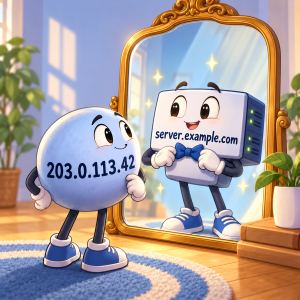
 Forward DNS is what people usually think of when you setup DNS. That points from a DNS name to an IP address.
So for example:
example.lowend.party -> 10.20.30.40
That is an example of an IPv4 A record. Of course, there’s also AAAA records, which are for IPv6:
example.lowend.party -> 2001:db8::25
But what if you want to go in the opposite direction? You have 10.20.30.40 and you want to know what name is associated with it. That’s reverse DNS.
10.20.30.40 -> example.lowend.party
Forward DNS says “what IP is associated with this hostname” while reverse DNS is the opposite: “what hostname is associated with this IP”?
Normally, you set forward DNS with wherever you host your DNS. You might self-host your DNS, or host it with a third-party DNS service, or host it with your registrar. Assuming you own the domain, you have complete control and can create, modify, and delete forward DNS records at will for that domain.
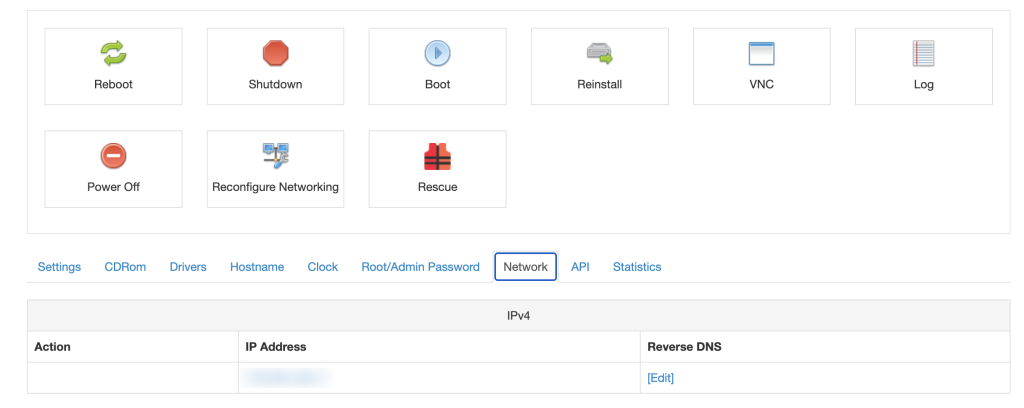
But for reverse DNS, you have to rely on your hosting provider, because they own the IP block. You’ll need to use your provider’s panel to setup reverse DNS. For example, this is where it’s in SolusVM:
When Reverse DNS is Needed
Email: Years ago, I would have said it was vital if your VPS was serving mail. But in 2026, because of deliverability hassles, most people are using a third-party email service like Amazon SES or relaying the email to a VPS they own that uses a third-party service. But if you want to send email directly from your VPS, reverse DNS is one of the things you need to setup. Of course, you also need SPF, DKIM, DMARC, a good IP reputation, etc. But reverse DNS is on the list.
More Pleasant Logging: Reverse DNS is useful for making logging entries better. If you’re monitoring or syslog server makes a log entry, do you want it to be for 10.20.30.40 or for example.lowend.party? The latter makes a lot more sense to the human reading the log.
But Otherwise? Meh…
True confession: most of my VPSes don’t have reverse DNS set. Why? Because for most use cases, it doesn’t matter.
Using the web, ssh, etc. doesn’t need it, so in general, I don’t need it.
But Be Aware…
When a user cancels a VPS and the IP is assigned to a new VPS, often the old reverse DNS isn’t cleared out. It depends on the panel the provider is using, but I’ve run into this repeatedly over the years. I’ll create DNS for server.lowend.party, but the reverse DNS shows somethingelse.example.com.
And that’s the best case…sometimes the reverse DNS that the previous user leaves behind isn’t as polite.
So even if you don’t need reverse DNS, it’s worth a check to see what it returns.
Related Posts:
Own a Domain? Roll Your Own Dynamic DNS With the Porkbun API
Before You Click ‘Buy’ on That Hosting Deal, Read This Checklist And Avoid the #1 Mistake People Mak...
NSD Tutorial Updated for 2024: Now With Zone Transfers!
Setup a Highly Available WordPress Site From Scratch, 2024 Edition! Part 7: Round-Robin DNS, Let’s ...
Setup a Highly Available WordPress Site From Scratch, 2024 Edition! Part 6: MariaDB Multi-Master
Setup a Highly Available WordPress Site From Scratch, 2024 Edition! Part 5: WordPress Install

raindog308 is a longtime community LETizen, technical writer, and self-described techno polymath. With deep roots in the *nix world, he has a passion for systems both modern and vintage, ranging from Unix, Perl, Python, and Golang to shell scripting and mainframe-era operating systems like MVS. He’s equally comfortable with relational database systems, having spent years working with Oracle, PostgreSQL, and MySQL.
As an avid user of LowEndBox providers, raindog308 runs an empire of LEBs, from tiny boxes for VPNs, to mid-sized instances for application hosting, and heavyweight servers for data storage and complex databases. He brings both technical rigor and real-world experience to every piece he writes.
Beyond the command line, raindog308 has a life-long love of German Shepherd Dogs, high-quality knives, target shooting, theology, tabletop RPGs, playing guitar, and hiking in deep, quiet forests.
His goal with every article is to help users, from beginners to seasoned sysadmins, get more value, performance, and enjoyment out of their infrastructure.
You can find him daily in the forums at LowEndTalk under the handle @raindog308.















Leave a Reply