


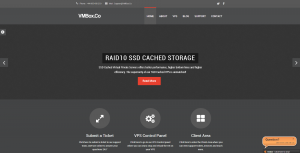
 Hey everyone! Steven from VMBox.co sent us a fairly decent offer to share with you guys. It comes with a free wildcard SSL certificate which has been a significant selling point for their product for some time. They use SingleHop who happens to provide wildcard SSL certificates to their customers, with the instruction that they are to be used on servers hosted in their network.
The Offer:
- 4 vCores
- 3GB RAM
- 100GB SSD Cached Disk RAID10
- 3TB Bandwidth
- 1Gbps Port
- 2 IPv4 (IPv6 available in LA upon request – IPv6 coming soon in Phoenix and NL)
- 20Gbps/10Mpps DDoS Protection in Phoenix and Netherlands
- Up to 2 free wildcard SSL available per VPS order in Phoenix or Amsterdam. SSL only to be used on Singlehop network.
Order Links:
Network Information:
Test file: http://ams-lg.vmbox.co/100MB.testSingleHop Phoenix AZ USA
Test file: http://phx-lg.vmbox.co/100MB.testQuadranet Los Angeles CA USA
Related Posts:

GenixNode: Amazing Low Prizes in 14 Locations Around the Globe! $2.39/Month for a 4GB VPS!

BONUS CODE DROP for RackNerd's Fall Giveaway! Win a Meta Quest 3, a Synology NAS, a Gaming Monitor a...

The Virtbase Interview: A Cool Hosting Company With Its Own In-House-Developed Panel That's Doing Ev...

HostNamaste Diwali 2026 Early-Bird Special — Los Angeles KVM VPS from $17.99/Year!
RackNerd's Fall Giveaway Has Started! Win a Meta Quest 3, a Synology NAS, a Gaming Monitor and More!...

Get Cheap Hosting in LA, NY or Atlanta from FlipperHost - Only $29.99/Year for a 2GB VPS!

Jarland Donnell served as the administrator of LowEndBox from 2015 to 2016, helping to guide the site and community during a time of transition and continued growth. Known for his thoughtful leadership and deep understanding of the hosting industry, Jarland brought a steady hand to the platform while maintaining the core values that have long defined the LowEnd community—transparency, accessibility, and technical curiosity.
In addition to his work behind the scenes, Jarland contributed to discussions on infrastructure best practices, provider standards, and the evolving landscape of budget-friendly hosting.
Today, he remains an active and respected member of the LowEndTalk community (@jar), where he continues to share his insights, offer guidance, and participate in the conversations that shape the future of hosting.












Thanks for posting Jarland. 🙂
Please check support ticket, my vps was suspended and i resolved the issue with the client 🙂 hope it will be unsuspended soon
IPv6 is now in public beta for Netherlands/Phoenix VPS and /64’s can be requested via ticket. IPv6 is auto assigned for LA VPS.
Probably worth mentioning it’s $7/month or $48/year…
What virt type?
OpenVZ virtualisation.
Ouch. Any chances of a (lower-spec) KVM offering?
Unfortunately not sorry.
No pricing info in the offer? Ridiculous.
Up until now about every LEB offer listed the price, RAM amount, virt type and DC location in the post title. @Jarland any motivation for abandoning this good tradition?
Ah fair observation. Thanks for that. Still getting my bearings here 🙂
Been using a 2GB LEB from them for a year now. They’ve been great. Just got my SSL cert this week with zero hassles. Definitely recommended!
Any chance I can put in a ticket for an upgrade to this with renewal?
No problem. Thanks for your comments. 🙂
Is the wildcard SSL valid as long as the service is active?
Yes, we issue 1 year certs and renew when necessary.
Is SSL still a selling point now that Let’s Encrypt is in public beta? I’ve started using Let’s Encrypt for a few of my sites and it’s pretty simple to configure. Let’s Encrypt doesn’t support wildcards, but you can have lots of host names in the one certificate, and creating the certs is automated through their script.
Yes.
But why? It shouldn’t really be a selling point any more.
Because not everyone wants to bother with their silly 90 days renewal, or install weird additional software on their server.
For the first thing, some people find the simple fact that your cert will be signed by “Let’s Encrypt” kinda weird, it’s also not really good face for a company when most visitors will be aware that you’re using a free cert.
Secondly, Let’s Encrypt does not provide Wildcard with their SSL certificates, so there’s that.
It’s a nice offer. How much it will cost after first year? or is it a lifetime offer?
I look for at VMBox website and I can’t see if I can install my own certificates or if I can install multiple domains. Can anybody help me with this questions?
Regards
This is a lifetime offer with 2 free wildcard SSL’s you must install yourself.
Thanks Stevens.
Are there any limitation on multiple domains? I need a hosting for four domains, with mail, and SSL. I never use this virtualization software and its Control Panel. I ever use Parallels with the new called “Odin”.
It’s time to find a cheap service for my personal projects but I don’t want buy it and discover that it isn’t what I looking for.
Regards
Each SSL supports 1 domain. We allow 2 SSL’s per order.
I know that 1 SSL is for 1 Domain. I have my onw SSL certificates and I looking for a VPS that I can have some domains with my own certificates. Exactly four domains at this moment. I ask you because I found VPS that only I can have 1 domain, VPS that I can’t have my SSL certificates, VPS that… sure that I don’t surprise you.
Everybody has his own requeriments. My requeriment is easy, some domains and any domain with his own Comodo certificate (your SSL certificate offert is very good, of course) but now I have this SSL certificates working. I can use your SSL of course. But how many domains I can host on this VPS (with or without SSL). Are there any limit?
This is a VPS, you have root. You can use virtual hosting (and for SSL, SNI) to host as many domains as you like.
SNI setup with apache for multiple certs on 1 IP:
https://www.digicert.com/ssl-support/apache-multiple-ssl-certificates-using-sni.htm
Used them for 1.5 yrs and they are great. Latency is fantastic. VPS super stable 0 downtime. Steven is super understanding and accommodating even when its the clients fault.
Sadly i still have 6 more months before my next renewal 🙁
Thanks for your comments, submit a ticket and we’ll upgrade you to this plan if you want?
omg! awesome tx…also i mentioned abt the test files not working. Intending to get another box later on.
Test file is http://ams-lg.vmbox.co/100MB.test
I am surprised. How on earth you can afford such insane low price in SingleHope DC??
I tried to get a server with them a while back and their single SSD addon to a server cost $170/m
This is so tempting … Wish you would have KVM offering as well.
We get bulk server discounts and sign multiple year contracts so receive quite competitive pricing.
Do the VPS servers support the FUSE kernel module, Encfs, and acd_cli?
Thanks!
We can enable FUSE for you yes, please submit a ticket after purchase.
We need a couple of VPS’s for a Spam Filter mail server such as https://www.proxmox.com/en/proxmox-mail-gateway.
All mail is legit, but will mail volume be an issue?
I know some providers instantly assume you are a spamming because your VPS is processing mail.
Please submit a ticket to discuss your requirements.
Good offert, I Have 2GB LEB LA, this service it’s very good, definitely recommended!
Thanks for your comments!
Any smaller plans or this is the only plan currently?
Smaller plans are available on our site, submit a ticket for 50% off website prices.
Hello Steven
any Max Load for this package ?
I assume you’re talking about CPU? If so, we allow a load average of 0.9 with bursts up to 4.0 for short periods.
Been using a VPS from these guys for just over 1.5 years. Have has a few issues but the reaction time on the tickets and the uptime is definitely worth it for this price.
Thanks for your comments. 🙂
Do you accept bitcoins?
No sorry, not enough interest at this time.
Nice! Great deal of VM in Europe, NL. Lets test it!
Let us know how you get on!
do you have pure 100GB pure SSD under 50$ yearly?
No, sorry.
What are the “SMTP sending limits” per VPS i.e (100 emails every 5 minutes)
Can we host cPanel on this VPS?
We don’t allow bulk mailing, so we probably aren’t the host for you.
It’s not for “Bulk Mailing”. Its just that you also offer cPanel/WHM licenses, so if we buy a VPS for cPanel Hosting, what is the acceptable mail limits.
100 emails every 5 minutes, is just an example figure,
Would like to know figure so that we can apply a local policy for cPanel customers.
Thanks
Couldn’t resist and bought another one yesterday. Its F*kin sick. I don’t even know what im going to do with it since i already have 7 VPS’s but its super awesome. Love it! tx Steven!
Thanks for your comments Nilly! Let us know if you need anything. 🙂
Hi, I want ask, will I get 2 IPs from NL DC?
Yes. Plus /64 IPv6 available on request (beta).
is it possible to combine 2 vps at same location ? so i will have more resources
No sorry.
Do you guaranted backup?
No backups sorry. We recommend you keep your own regular, offsite backups.
PLEASE ACCEPT BITCOIN, BECAUSE USING PAYPAL IS REALLY HURT MY ASS
Hey @nilly. Give me one vps then
Is this recurring or just for first year?
Thanks
Recurring.
Hows the cpu performance?
im interesting to your NL node.
private proxy / legal adult alloed?
Yea, both are ok.
Do you have bigger capasity ?
tx
We have plans with larger disk on our website.
I used VMBox for 2.5 years and I am very satisfied. Very fast and stable VPS with 99.99% uptime. Cooperation with Steven is very good. If you have any problems always come to an agreement with him. You just need to talk and honestly explain your case.
Thanks for your comments, glad you’re enjoying the service. 🙂
How about select Linux OS ?
I don’t see the select box in purchase page.
Is Debian 8 64 bit available ?
Yes.
Hi Steven, how would I go about doing this? I don’t see an option to do this anywhere.
Hi, and what do you mean with
Sorry noobs here.. Thanks
Opppss.. nevermind .. got it .. ignore my comment above 🙂
Btw do you have KVM plan?
OVZ only at this time, sorry.
Is it possible to defer my service start day to Jan 1?
Hi,
I applied for one of these in NL. Delivery was smooth and indeed includes 2 IPv4’s.
I’m having trouble getting started with the SSL part. There seems to be no info on the vmbox.co site, nor in the Client Area’s knowledge base, nor in this thread after a few days.
I ordered the SSL ‘free product addon’ but that doesn’t seem to start any workflow. Not sure if this would yield an AlphaSSL ‘coupon’ or something? I understand (but want to learn better) that there are some (technical) choices to be made before a properly configured certificate gets active.
When entering the Vmbox.co Client Area’s Ticketing system, there’s this message at the bottom: “Please confirm you’ve read all emails regarding services with us and located the control panel information and how to apply for SSLs correctly? If not this ticket will be chargeable at $25.”
I find that a bit harsh for this seemingly minimally documented feature.
Can anyone give me a push in the right direction? Thanks!
Bart.
I just I applied for one in NL too.
I understand that we have a clean Centos machine so first you have two options: if you are a nice Linux user, made all from SSH; or if you don’t you must install a Web Hosting Control Panel. You have some free option like VestaCP or CentOs Web Panel. I installed VestaCP with susprise, normally installation spend 15 minutes, and it finished at only 7 minutes. Good speed, Vmbox use SSD on NL and memory and procesor seem to work fine.
From Control Panel you can generate your cert file that you need to obtaing your SSL files. Then you must send this CRT file and your domain name, and admin answer you with SSL files.
As stated below, just generate a CSR and submit a ticket and we’ll process it for you. Please include fqdn also.
Sounds good. Submit a ticket including CSR + FQDN. Will look into that. Thanks Lombar and Steven for your feedback. Happy holidays!
Bart.
I applied for an NL instance and it’s been awesome tech-wise so far.
Still support is really confusing. Ticketing system basically leaves an impression that you shouldn’t use it without a lawyer.
I actually considered nasty hacks, like routing a support ticket through the sales department, i.e. “would you bill me for a ticket like this?”.
Then I just didn’t contact support.
That said, all specs match the advertisement and everything doable as root from inside an openvz instance works as expected, which is 99.5% of anything one would possibly need.
We have them questions in place to make sure everyone reads their emails before applying for SSL’s. It’s not relevant for normal support tickets. We’ve also never considered charging anyone that doesn’t apply correctly. It’s just to ease support ticket load.
I’m still quite confused on how to get the SSL cert. I swear I submitted a request for a wildcard on Dec 18th, and haven’t received it. It doesn’t show up in Support Tickets. Is there anyway I can check the status.
For what it’s worth, it’s a multi-step approach. Here’s my learning curve:
1) Create a CSR. I installed Debian on my new VPS, and did this:
openssl req -new -newkey rsa:2048 -nodes -out wildcard.csr -keyout wildcard.key
Make sure you put *.yourdomaingoeshereobviously.com in the Common Name field, to support a wildcard cert.
Don’t put too much time into the other fields, they seem ignored when VmBox requests the cert with AlphaSSL.
2) Paste the content of the CSR file into a support ticket (you can only attach JPG’s I believe).
3) VmBox does the request with AlphaSSL and forwards you AlphaSSL’s response, the certificate.
4) Now comes the certificate magic, which varies depending on your webserver. I had to process an intermediate certificate as well.
https://www.alphassl.com/support/index.html
The end result works for me. Browsing to my subdomain.mydomain.tld was secured.