

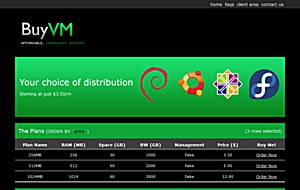
 Francisco from BuyVM has sent us an email letting us know about a new DDOS mitigation service they are offering that is available on any of their VPS plans. For an additional $3.00/Month you can now order DDOS Mitigation on any BuyVM service, including their incredibly popular $15/Year plan. When you order the service from BuyVM they filter all traffic through to the IP on your behalf. VPS plans are located in San Jose whilst the DDOS mitigation is filtered from Los Angeles.
So that’s the headline, the other news is that for the first time since November 2011 BuyVM is now releasing stock of all plans each day. Hopefully this will put an end to all the “When is BuyVM getting stock” threads, undoubtedly this will affect the price of second-hand/traded BuyVM’s on the underground market.
128MB OpenVZ
$15.00/year – Order Link |
128MB KVM
$25.00/year – Order Link |
256MB OpenVZ
$3.50/month – Order Link |
256MB KVM
$5.00/month – Order Link |
Click read more for test IP’s, etc
512MB OpenVZ
$5.95/month – Order Link |
Test IPv4 – 205.185.112.1 / Test File
Test IPv6 – 2607:f358:1:fed5:feed:face:dead:beef
BuyVM also includes 5GB of free backup space and DNS hosting under their BuyVM+ product. If you wish to use their “Offloaded MySQL” add an additional $1.00/month and have MySQL offloaded freeing resources on your VPS. Francisco also asked us to note that there has been some TOS/AUP changes as well.
The last time BuyVM was listed on LowEndBox was back in October 2011, it has been a while since we caused a “customer DDOS” on their ordering system.
Featured Offers
 Featured
 Featured
 Featured

Have you benchmarked your server yet?
Run a free ServerVerify benchmark and compare real-world CPU, disk and network performance with community-tested VPS and dedicated servers.
Related Posts:

ColoCrossing's Dedicated Server Sale Features Systems as Low as $25/Month! Los Angeles and Buffalo!

Yeee-ouch! Guest-to-Host Escape Vulnerability in Linux KVM/x86

Host4Fun: 50% Off in Over 20 Locations! Get an 8GB RAM VPS for Only $5/Month!

Happy Valentine's Day from ColoCrossing! Get a VPS for Only $1.97/Month Plus Tons of Deals on Cheap...

LAST DAY to Win a Ryzen 5 Laptop, Govee Floor Lamp, Cool Socks, and More from RackNerd! And a 1GB VP...
Last Chance for RackNerd Black Friday! Plus a Bonus Code for Their January Giveaway! Get a 1GB VPS...

At LowEndBox, our News and Editorial Team is dedicated to delivering timely, accurate, and actionable content tailored to the needs of developers, hosting enthusiasts, and infrastructure professionals. We curate, report, and analyze the latest developments in the world of hosting, cloud infrastructure, data centers, open-source platforms, and internet services, always with a focus on value, performance, and accessibility.
Our team monitors the global hosting landscape to bring you breaking news, vendor updates, platform changes, market trends, and expert insights. Whether it’s a price hike from a major control panel, a breakthrough in virtualization technology, or a new indie provider shaking up the market, we strive to deliver content that empowers the LowEnd community to stay informed and ahead of the curve.
We also collaborate closely with the vibrant LowEndTalk community to surface meaningful discussions, highlight real-world deployments, and share voices from within the ecosystem.
Our mission is simple: to help you make smarter infrastructure decisions by delivering the stories that matter, clearly, consistently, and without hype.
Stay tuned for fresh editorial content, in-depth analyses, and community-powered features from the team that keeps LowEndBox running.






















Could you please explain more about the mysql offloading. What’s being offload, the memory useage, CPU, disk space? Does it slow performance down?
Ta
Jim
You get an account on our ‘remote SQL’ and you setup your databases there.
The whole MYSQL processing happens at this box and you’ll see quite a bit of a boost in speed since the box is configured for high through-put SQL.
Francisco
How about the network speed between your mysql box and my boxes?
It’s a full gbit and the latency is ~0.3ms 🙂
Francisco
Thanks, Pancho,
Two more questions; how about the maximum size of each database? and, can I use ssh to pull my mysql data back to my box for periodical backup?
Pancho? You’ve been spending too much time around #frantech haven’t you 🙁
– You get a max of 10GB space to fix your databases. More space can be requested with reason
– There isn’t SSH but it’s being considered. mysqldump is an option if you like.
Francisco
Touche Mr. Ray.
Pancho is a nickname for Francisco. I guess I would have known that if I was spanish/mexican 😛
Francisco
You never fail to impress guys!
Great offer!
Managed to grab two (one 512, one 1024) while they were in stock. I have to say, the local performance (disk, i/o) is amazing. The boxes are speedy and responsive.
My only issue currently (as a new customer) is my network bandwidth seems to be all over the place. Sometimes it’s in the 9-10mb/s range but often it is 3mb/s or below. I’ve opened up a support ticket to have them do some traceroutes and figure out what is what. (All of these transfers are to other VPS providers with whom I almost always have great throughput all around.)
But this isn’t a complaint. Just posting my experience as a new customer thus far.
Nope, sorry! Just messed up with one of my friends, 🙂
OK, I will give a try.
Thanks,
(the previous comment is to Francisco), LEB please help!
zzzz all sold out wtf
More 256+ plans in 1 1/2 hours 🙂
128MB’s are in the queue for ‘very soon’. The drives for the server free up on the 1st.
Francisco
Hehe… was just about to order
Got one 😀
do you have custom plan?
I need openvz 1024 about 6TB of BW?
how much if possible?
You can add extra bandwidth to any plan at $2.50/TB.
As Kuro said, additional transit is quite affordable around here. An additional 2TB is just $5.00/m, so you’d be looking at $17.50/month for a box with 6TB.
Francisco
I see your math’s as good as always, Fran 😛
OpenVZ 1024MB plan comes with 3TB at $12.95/mo. An extra 3TB of bandwidth would be $7.50/mo. So the total would be $20.45 for 1024OVZ with 6TB.
SIGH.
I need to stop doing math at 8AM 🙁
Francisco
I see
Stallion Rocks! Awesome machine, awesome nework!
Thanks 🙂
Stallion2 will be much easier on the eyes. It’ll also be the initial steps towards floating IP’s.
Francisco
Floating IPs lol…. my wet dream XDDD
Still no stock!
Reload is in just a few hours 🙂
Remember, there’s no load ups on the weekend.
We’re currently awaiting parts to arrive to get 3 – 4 more KVM nodes.
Francisco
Franciso, May I pay in advance? When you have a vps you can set me up.
I’m after the 15 doller deal.
Thanks
Nope, sorry boss.
If we allowed this we’d never have 128’s posted on the website 🙂
Francisco
all out of stock?!
http://www.doesbuyvmhavestock.com/
Hmm ive seen that but 128M vms hasnt been restocked every time. ive tried 6 times already, twice from work 😛 could you please tell me how/when can i get a 128M vps with you?
thanks!
They have. You have around 15 seconds to get them before hundreds are gonew.
How is the new DDoS Protection setup and through where as you mentioned it’s not with your current data center in SJ you said something about LA? I don’t understand exactly how that would work or what it really is, if you could spare a moment to explain a little about the setup and where the LA location is, or whatever it is that you have setup now for the DDoS Protection and how it works would be great.
Unless I missed it in over looking the comments and information to find out more information about it that is? I was trying to find if it was in the Wiki or on the website.
We announced a subnet of IP’s over there on a server we’re just renting. We then have some fancy routing magic to have it route back to SJ 🙂
Francisco
LA? is that some awknet?
Yes its Awknet
when 128 plan restock?
We’re just pending RAM 🙂
We have the rest of the chassis onsite. We’ll have around 560 units total.
Francisco
Cant wait..
Pls, enable my order for payment, order number: 37067
Justin and his team over at Awknet is amazing. If your ever looking for some great server hosting with DDoS protected services, Awknet is your choice.
Is anyone with node44? My box is recently has a slow IO, just around 35.6MB/s.
lemme hop in and see 🙂
It’s possible a disk is going bad, if that’s the case i’ll get it replaced ASAP.
Francisco
(23:11:42) node44:~ root: dd if=/dev/zero of=test bs=64k count=8k conv=fdatasync
8192+0 records in
8192+0 records out
536870912 bytes (537 MB) copied, 1.98114 s, 271 MB/s
It could very well be a ton of crons firing so i’ll keep an eye on it over night 🙂 If you still feel meh speeds later on just log a ticket.
Franciscso
I don’t think that it is because of crons, it has been over a week. Just tried,
I will check back tomorrow morning, hopefully it will be better.
Thanks, Francisco,
Its perfect now!!!
Stallion says i’m on node 44, so here ya go:
root@bvm:~# dd if=/dev/zero of=test bs=64k count=8k conv=fdatasync
8192+0 records in
8192+0 records out
536870912 bytes (537 MB) copied, 2.53181 s, 212 MB/s
Just try again,
There should be some restrictions on my box; 🙁
Okay, will check tomorrow.
Good night!
Nodes 36 and 44 are IO wait is under my LEB average, however as one is barely used and other not used at all yet this don’t introduce problem for me yet.
dd if=/dev/zero of=test bs=64k count=16k conv=fdatasync && rm -rf test
16384+0 records in
16384+0 records out
1073741824 bytes (1.1 GB) copied, 170.03 seconds, 6.3 MB/s
dd if=/dev/zero of=test bs=64k count=16k conv=fdatasync && rm -rf test
16384+0 records in
16384+0 records out
1073741824 bytes (1.1 GB) copied, 81.1951 s, 13.2 MB/s
Edit. speed not wait
I’ll check on 36 & 44 today and see if there’s anything odd.
I got some ideas about waht it might be, if I can confirm it I’ll have Anthony address it. There will be no reboot needed.
Thanks!
Francisco
There maybe an IO issue with node 44, I just checked,
I already got Anthony hunting around. It isn’t torrents or anything like that since it seems to only dip then return.
Francisco
Fran,
Do you any plans for a east-coast location or Europe?
Haven’t talked to you in a while Fran, nice to see you finished the Stallion Panel, keep up the good work.
Stallion is messy, hense why stallion2 is in the works 🙂
Stallion2 is based around bootstrap + codeigniter so it won’t be a nightmare to work around.
Have a good one,
Francisco
Did all ponies die in hell, why they are not bring us the KVM? =(
Hi Tom,
A good hunk of the company is in Buffalo right now for a wedding 🙂
It’s on the way for next week.
Francisco
I’ve had several VPS’s with BuyVM but my current 256/512 has been having slow network speeds. I have submitted at ticket 3 days ago and the problem has still not been fixed. Kinda of a shame that the issue hasn’t been solved (I have submitted a ticket and been told to bring it here as “francisco ignores tickets I show him”.
–2012-06-03 16:10:38– http://speedtest.buyvm.net/100mb.test
Resolving speedtest.buyvm.net… 205.185.112.31
Connecting to speedtest.buyvm.net|205.185.112.31|:80… connected.
HTTP request sent, awaiting response… 200 OK
Length: 104857600 (100M) [application/octet-stream]
Saving to: 100mb.test.2
100%[======================================>] 104,857,600 2.53M/s in 49s
2012-06-03 16:11:27 (2.05 MB/s) – 100mb.test.2
Can you please look into this??
Internal IP: 172.16.251.99
Thanks
Justin
I don’t ignore tickets, Anthony’s just mean 😛
I’m currently arranging the SSD upgrade for node49, the node you’re on. The hope is that the SSD + a driver update will address the speed.
I’ll know ASAP.
Francisco
Fran, I agree with Justin, any network issues in that node?
Because lots of players have been reporting me lag since one week ago. Apparently the jittering is very high
That’s what i’m going to work to find out 🙂
I’d like to schedule the SSD at the same time as the driver update, that way there’s only one outage.
Francisco
Anyone using buyvm please post a benchmark regarding network connection. I love to know and hopefully the only one having the issue.
Well, this night (I am at Mexico) the network was dropping like hell several hours u_u
This just happens in one of my boxes at node 49:
Since several months ago has been with this kind of problems. Was ok the past month until these days.
Yea 49 got the crap kicked out of it last night and it hasn’t recovered.
Someone got a large SYN that was just under autonulls thresh.
I’ll be giving it a kick in a few.
Francisco
Ty Fran
Seems to be working fine again.
Yep.
I left a note to Anthony last night before I went to bed to check it out and to simply give the box a kick if it didn’t recover after a bit.
conntrack’s tables weren’t all that full (3000 – 5000 entries) so it wasn’t that.
I just think it’s this derpy ethernet driver.
Francisco
Thanks, Yomero.
It has been with my boxes a couple of months ago, on 49, 52, 26, 27 nodes as well. The download speed also horrible. Not sure if that is because of FBI.
I’ll check those others but the only one I know being dumb is 49.
Just log a ticket and I’ll check ’em out 🙂
Francisco
I wait and I wait for my activation, i payed, and gave them all the information they needed, and instead of their warm welcome i get called a liar?
—————————————————————
While processing your order, it has come to our attention that your account details are not fully accurate. In order for us to process your order, you will need to supply us with:
Real First and Last (Family) Name
Address, including street and building numbers. (No PO Boxes)
City, State/Province, and Country
Working telephone number.
Failure to provide any or all details in a timely manner will result in the account used to purchase being refunded and your being permanently banned from service with us.
Simply reply to this ticket with those details, and we will update your account and activate your order. Thank you for your cooperation.
—————————————————————–
Do I get an apology if i scan and send you my ID? This is outrageous.
That’s entirely automated.
It’s part of our extra fraud checks. I apologize if it comes off that we’re calling you a liar, but we simply need verification 🙂
Thanks for the interest,
Francisco
These tools NEVER notified they would be down for maintenance and I lost thousands of dollars in traffic. Morons. Buyers beware!
not make sense…
Um?
All maintenance is posted on the website and then sent through manage.buyvm.net. Now, if a node crashes that’s a different story. When that happens we work as quickly as we can to address it.
If you have a ticket I can check into it and give you a fully detailed breakdown of what happened if Anthony/Aldryic didn’t already.
Francisco
If you’re getting thousands of dollars in traffic (which you’re not), then maybe you can afford something more expensive.
Finally giving BuyVM a try (San Jose, California location). Need a node out in California for West Coast use.
So far, it is positive. Setup wasn’t instant, but it was a few minutes.
Default Debian install is busted a bit, so might create issues for new folks. Nothing too bad though 🙂
Performance – the feel of the VPS via SSH is rather fast. Faster than most providers. Update installs fly. Very close to main debian mirror in Palo Alto.
Disk speed is fast enough, but it is the middle of the night:
dd if=/dev/zero of=test bs=64k count=8k conv=fdatasync
8192+0 records in
8192+0 records out
536870912 bytes (537 MB) copied, 4.77094 s, 113 MB/s
Only hiccup so far is the network speed. Accustomed to seeing CacheFly’s speed test hit very fast numbers. Thought this VPS was sitting on a Gbit connect… So expecting to see 20M/s and above. Nope. Fastest so far is 2.76M/s.
Odd since CacheFly’s mirror location is very close (looks like it may be on the same network or same facility):
1: 205.185.112.142 0.840ms
2: 10.100.0.1 1.490ms asymm 3
3: fe2-20.hr1.sfo1.liteupinc.com 7.087ms asymm 4
4: vip1.G-anycast1.cachefly.net 2.052ms reached
Tried other speedtests and our own files hosted on gig connected links. Same sort of speed cap.
Is this network speed cap typical for BuyVM or indicative of something wrong?
We’re working on the network performance blips.
We’ve been having a yelling contest with our upstream about it since they keep blaming our vyatta.
Needless to say we’re putting in a different router this week to see who’s at fault.
Sorry about that.
Francisco
Holy wow! Geez, Francisco, you folks are quick. Didn’t expect a 2 minute response time on a random forum.
Praise be to the ponies 🙂
It’s all good from my end. I can deal with those speeds as this is a new node for us and requires setup time from my end before we take anything live. Backups and the need to move data over the net quickly at times are the only reason for concern.
Count me impressed so far.
Glad to hear it 🙂
We’re just waiting on some equipment to arrive. Alas, the place we ordered it from shipped it USPS instead of UPS like we paid, so it’s going to take a lot longer than we had planned.
Jerk offs.
Francisco
I write true, by my experience with BuyVM!
Good Things:
1.) Good CP (~ same as like in linode)
2.) DDoS Protected IP help against UDP/ICMP (this is true).
3.) Cheap, VERY CHEAP!
Bad things:
1.) Unstable, by 1 month i get 4 downtimes.
2.) Very laggy from USA/Europe. + A lot of packet loss (not only i am check, all my clients check that too).
3.) In IRC chat a lot of different young trolls.
4.) Bad Support team (yes, they answer fast, but they do not help) they very evil against newbie linux users. (i do not ask about configuration, i just ask few questions). + I get warning for my ticket about problems, what caused by their side (packet loss + downtimes), and they say “if you start again ticket about this, you automaticly drop 1$”. I think it’s worst what can happened, (i can show screens if anybody want for proofs).
5.) Very VERY slow internet speed connection for whole USA. For West USA speed ~ 1MB(8mbit/s) for East ~ 0.5MB (i was have it maximum).
About VPSes: they are not really fast as like edis/linod/hetzner, but not bad too.
Сonclusion:
-Not recommend for not guru linux users, and who people who need stable server with fast speed.
-Not recommend for people who need 99%+ uptime.
-Recommend to people who need good UDP/ICMP flood protection.
-Recommend to people who want manage their server at CP
-Recommend to people who have clients from West USA.
There’s no better way to say it than our San Jose location is a mess. We’re aware the network speeds are garbage and are actually moving out of the location as of January. Network speeds will be addressed once setup in Vegas. The network issues were likely the DDoS attacks our datacenter has been suffering for the past month or so. They’ve been faster about applying nullroutes but they still haven’t flat out terminated the client which they should.
The IRC is just like any other community based IRC, it has its trolls but it also has its very helpful people. You have to accept the channel for what it is – a generic channel filled with many of our clients. Some are really helpful (bfj, lbft, the_hatta, etc), some will make you throw up (m0shbear, earlykyler, bfj), and some will send you a picture of their nuts (bfj).
SJ is getting some much needed CPU upgrades as well.
If you’ve cancelled your services with us I’d gladly offer you a free month once we’ve moved so you can see what we aim to have our service run like 🙂
Thanks for the honest comments,
Francisco
Sorry, goodluck, i wont use buyvm anymore. I think only you are good at BuyVM, all other – evil/bad.
Anyway, few suggestions about buyvm services.
1.) Need more informative website/wiki.
2) To wiki add very newbie guides (example: LAMP, basic security, how to grow up …%service_name%… etc. It’s very help in feature for newbies as like me. Because at new provider, they show me link, and i was happy, they do not help me by telling about “blablabla things”, they just post link about where can i get more information (at wiki), and i done my problem by myself. That i call very good support, what do not leave clients when they need help.
3.) Need to do something with really slow internet connection for east USA (i can show proofs) about speed by wget from different places (different VPSproviders where they show their testspeed files).
Anyway, i really for now do not care about this suggestions, you can think or do not think about this. But i already leave BuyVM. Goodbye!
There never xen: (
I don’t like XEN at all. We considered it but I just like KVM so much more.
Francisco
OK , never have KVM .